
Weather Modes
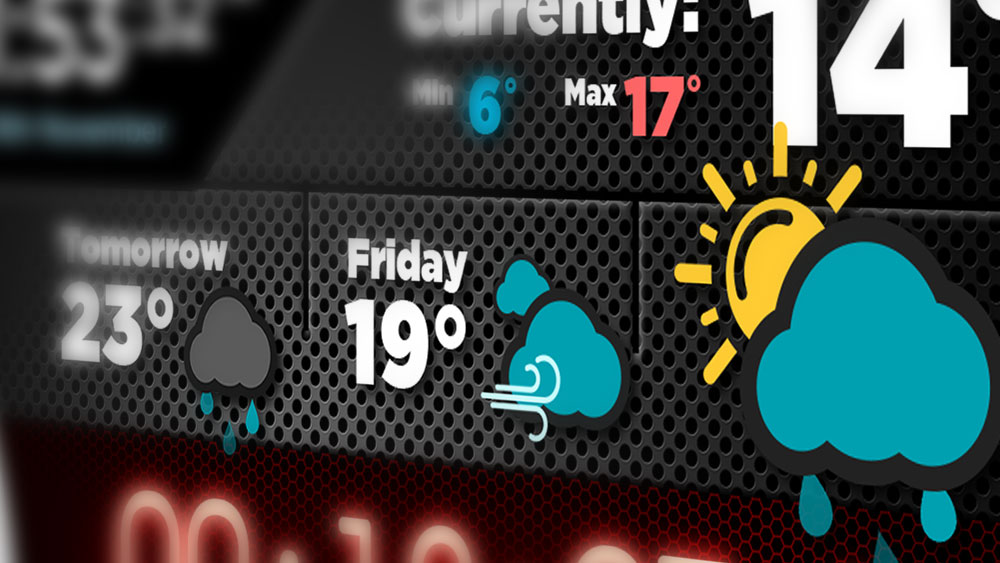
With animated icons and easy to read information, the weather component can be tailored to your needs.
The weather component is a central part of Screenabl, with it's animated icons and large, clear text to help make it visually appealing while being easy to read from across the room.
There are several different configurations available (depending on your license) and this guide will take you through each one so you can get an idea of which one would best suit your studio.
Data update frequency
The current temperature for every weather location is updated every 15 minutes, while forecast data is updated hourly.
Features
City Lookup
Getting the temperature for the correct city is simple in the Screenabl app using the city lookup:
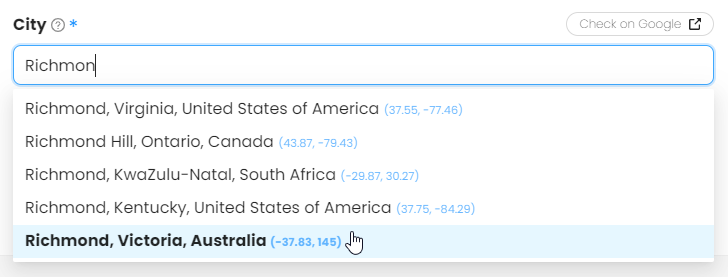
Typing the first few letters of the location your looking for will return matching cities. Once you've found the one you're after you can check it's location in Google by clicking the "Check on Google" button.
Temperature Rounding
The weather has the option to round the temperatures to the nearest full degree which allows you to keep the interface clean if needed, while still showing small temperatures with their decimal value (< 10°).
Possible Layouts
There is currently 9 different layouts available for the weather section ranging from a single location, to multiple. There is also an option to have a "Top Info" section configured to show just under the main weather which allows you to display Free Text, RSS Feed data or a Second Clock. More features for this top info section will be available in future releases.
Jump to:
Weather layouts only
If weather info is all you need then Screenabl has multiple variations to display the info you need. Below are screenshots of what the "Weather only" layouts look like inside the app.
Single Location - Current Temp & Tomorrow forecast:

The default layout which show a single weather location with large forecast text for the current day. The text cycles to show the temperature & forecast for tomorrow as well.
Single Location - Current Temp + 2 days forecast:
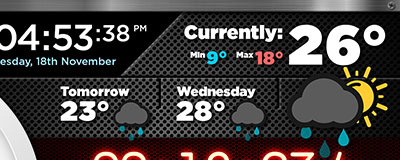
While still using the larger icon for the primary location, this layout allows you to see 2 days of forecast for the primary location.
Single Location - Current Temp + 3 days forecast:
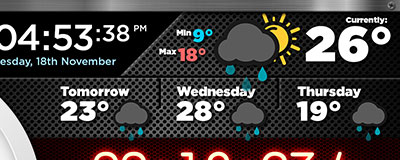
In this layout the primary weather get condensed up to the top which gives room to see 3 days of forecast for the primary location.
Multiple Locations - Current Temp + 2 smaller locations:PRO
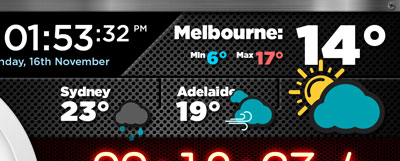
PRO licenses have the ability to have more than one location for weather info. The label for each location is configurable (or just leave blank to auto-populate from source).
Great for stations which are broadcasting to multiple locations.
Multiple Locations - Current Temp + 3 smaller locations:ULTIMATE
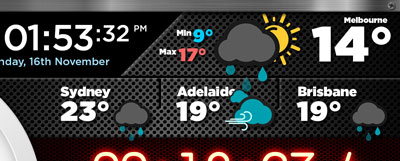
ULTIMATE licenses have the ability to have up to 4 locations for weather info. In this layout the primary weather get condensed up to the top which gives room to show the 3 additional locations underneath. The label for each location is configurable (or just leave blank to auto-populate from source).
Great for stations which are broadcasting to multiple locations.
Top Info section & Weather
Need to display a little bit more information to announcers and not focus on weather info so much? You can enable the "Top Info" section which allows you to show Free Text, RSS Feed data or a Second Clock. More features for this top info section will be available in future releases.
ℹ️ The below examples show the Free Text option.
Single Location - Current TempPRO
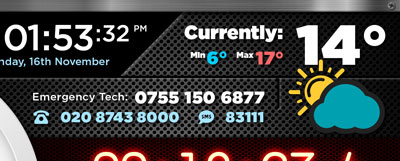
While still having a large icon and temperature which is easy to read, this layout can add the extra info under the weather. This gives you the ability to show vital information to announcers while not wasting space on unwanted weather info.
Single Location - Current Temp + 1 day forecastPRO
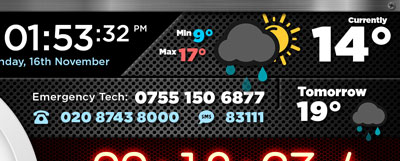
Slightly more condensed weather info at the top, while having that extra day forecast available.
Multiple Locations - Current Temp + 1 smaller locationPRO
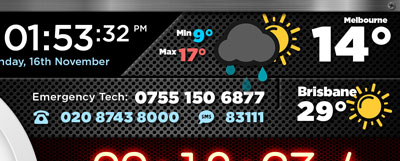
Similar to the above, but can show current temperature for an additional location. The label for each location is configurable (or just leave blank to auto-populate from source).
Single Location - Current Temp (Full Width Top info)PRO
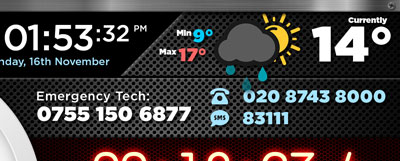
Completely utilising the top area for the additional info, this layout puts more focus on the "Top Info" content, while condensing the primary weather info up to the top.
Additional "Top Info" Options: RSS Feed & Second Clock
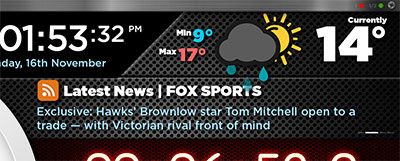
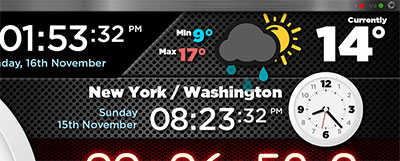
Above are examples of what the RSS Feed and Second Clock look like when in the "Top Info" section.
💡 More features for this top info section will be available in future releases.